A Simple Step-by-Step Guide to the Document Scanning Process (Without the Tech Jargon)
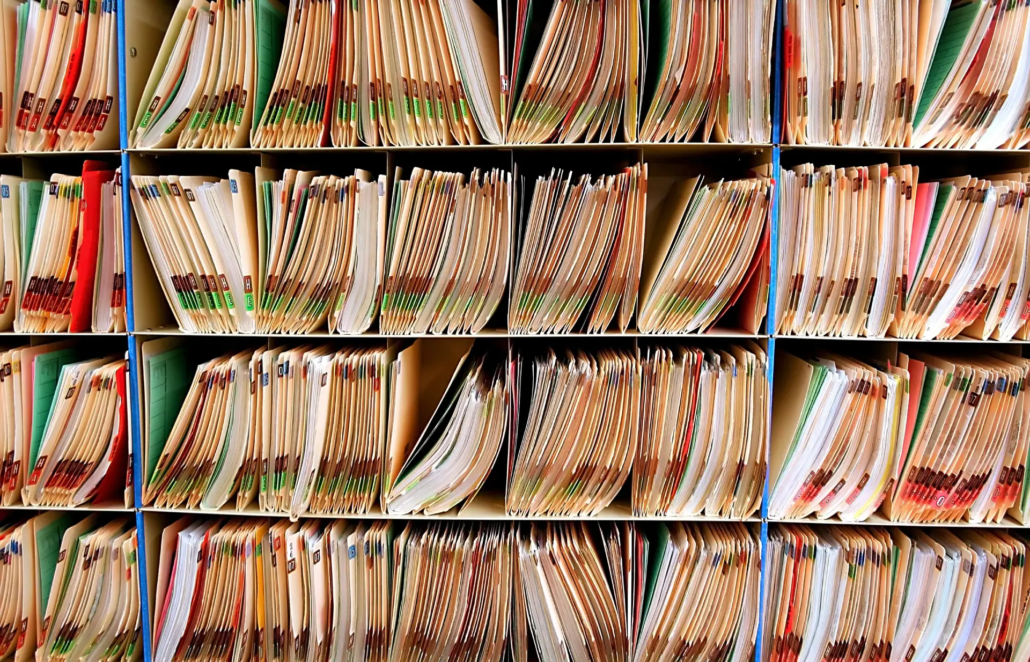
Digitising your documents doesn’t have to be complicated. In fact, most organisations are surprised by how simple the Document Scanning Process really is once they understand what’s involved. Whether you’re dealing with HR files, financial records, project documents or archived material, the goal is always the same: make your information easier to access, easier to protect and easier to manage.
This guide walks you through the full Document Scanning Process in clear, plain language, no technical terms, no complexity, just a straightforward explanation of how everything works from start to finish.
Why Organisations Choose to Digitise Their Documents
The shift to digital records is happening across almost every industry in Australia. Paper documents can be difficult to sort, slow to retrieve and vulnerable to damage or misplacement. By digitising them, organisations gain:
- Quick access to information
- Better security for sensitive documents
- A more organised and efficient workflow
- Protection against loss, damage or wear
- Reduced storage costs and clutter
The Document Scanning Process makes it easy to move from bulky paper files to neat, searchable digital records.
Step 1: Secure Collection
The process begins with a secure collection from your premises. Your documents are transported safely, handled with confidentiality and tracked through a strict chain of custody process. This ensures your information remains protected from the moment it leaves your office.
This step is especially important for sensitive records such as HR files, financial reports or legal documents.
Step 2: Document Preparation
Once your documents arrive at the scanning facility, the preparation stage begins. This involves removing staples, paperclips and bindings, flattening folded pages and organising files into batches ready for scanning.
You don’t need to do any sorting beforehand all of this is handled for you. The goal is to ensure that every page is captured clearly and accurately.
Step 3: High Quality Scanning
Your documents are scanned using professional grade scanners designed to capture sharp, readable digital images. Each page is digitised into a clean, high-quality file that can be opened on any device.
During scanning, the team ensures:
- No pages are missed
- Images are clear and legible
- Files are captured in the correct order
- Every document is scanned completely
This step transforms your paper files into reliable digital documents suitable for everyday use.
Step 4: Quality Control & Indexing
After scanning, each digital file is checked carefully. This includes reviewing clarity, checking page order and confirming that no information is cut off or missing. Any issues are corrected immediately.
The documents are then indexed which simply means they are organised in a way that makes sense for your business. You can choose indexing by:
- Client name
- Department
- Date
- Staff member
- Document type
- Project name
- Reference number
Indexing makes your digital files easy to find so you never have to dig through boxes or folders again.
Step 5: Secure Digital Delivery
Once the documents are ready, the digital files are delivered securely. Depending on your preference, this may be through:
- Encrypted cloud transfer
- A secure USB
- An external hard drive
On completion documents can either be securely returned or securely destroyed with a certificate of destruction provided all in accordance with your retention policies and compliance requirements.
How the Document Scanning Process Benefits Your Organisation
Faster Access to Information
You can search for files instantly, without sorting through boxes or folders.
A More Organised Workplace
Digital documents reduce clutter and simplify record management.
Stronger Security
Digital files can be protected with access controls, passwords and secure storage.
Better Support for Remote or Multi Site Teams
Documents can be shared, viewed and referenced easily across departments or locations.
Reliable Long Term Preservation
Digital files don’t fade, tear or become unreadable, they remain accessible for years to come.
Why Organisations Choose Scan2Archive
Scan2Archive has more than 40 years of experience helping Australian organisations digitise their physical records. With ISO certified processes, strict confidentiality, and expertise across government, healthcare, education, utilities, legal and commercial sectors, we make the Document Scanning Process straightforward and secure.
You can rely on us for:
- Secure handling from collection to delivery
- Skilled preparation and scanning of sensitive documents
- Consistent, high quality output
- Custom indexing and file structure
- Reliable project management start to finish
We take care of everything, so your team can stay focused on the work that matters.
Frequently Asked Questions
Do we need to sort the documents before pickup?
No, all sorting and preparation are handled for you.
Can confidential or sensitive documents be scanned?
Yes. All scanning is done under strict ISO certified security procedures.
What file formats are available?
Common formats include PDF, TIFF and JPEG.
Is the process suitable for large volumes of documents?
Absolutely, we manage small projects through to bulk scanning archives.
How will the files be organised?
You choose the indexing method that suits your internal structure.
Can you destroy the originals after scanning?
Yes, secure destruction is available with a destruction certificate provided upon completion.
Contact Scan2Archive
Learn more about our Document Scanning Process at:
👉 www.scan2archive.com.au
Speak with our team on:
📞 1300 789 684